
Core concepts
This documentation uses the following core concepts:
- Form (a register / entity template)
- Task (a specific record created from a form)
Form
A form is a data register (an entity template) that defines:
- what data is stored (fields)
- the structure of records
- possible relationships with other forms and tasks
- rules for how users work with them (including workflows)
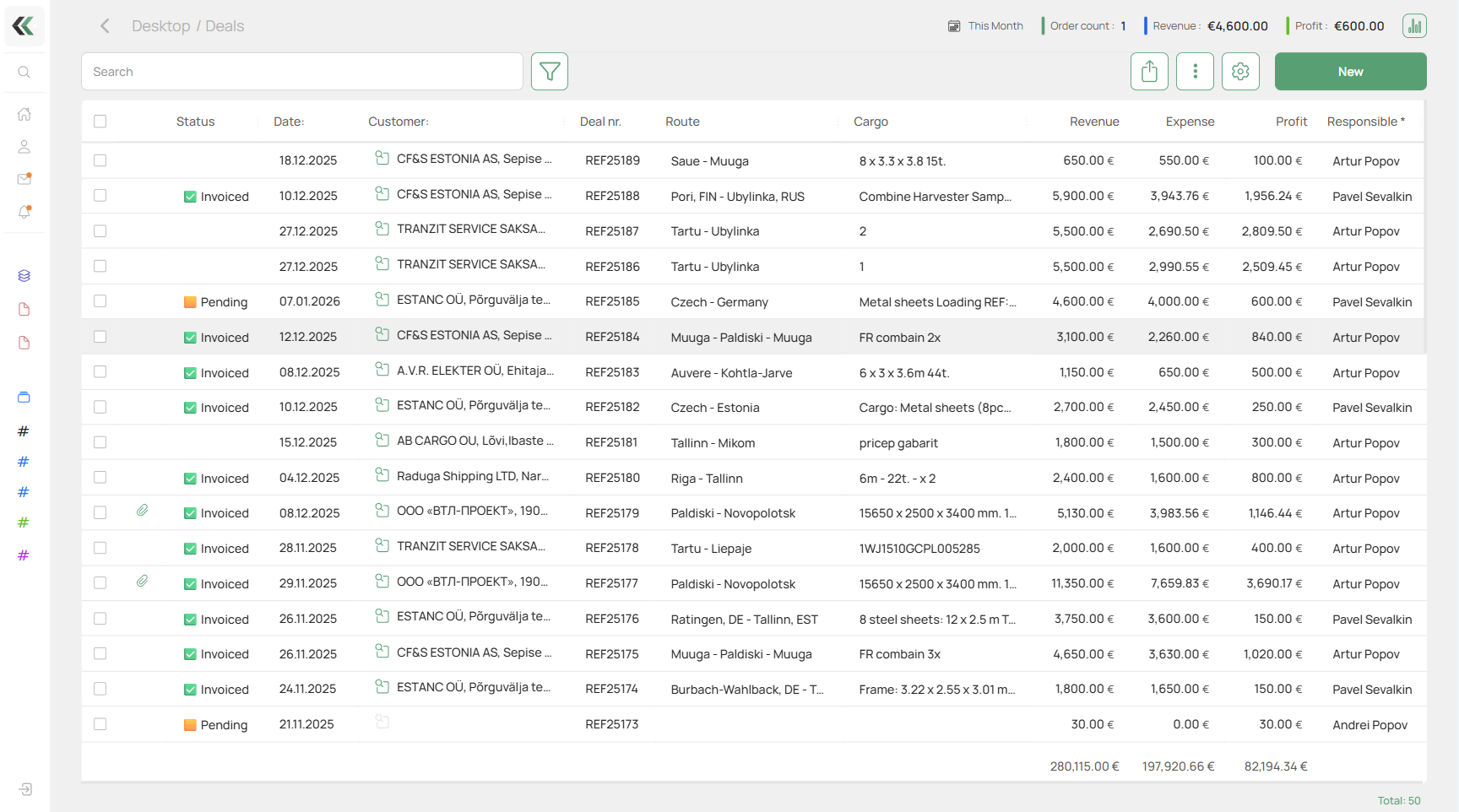
Form as a document register
- invoice
- contract
- commercial offer / quote
- application / request
- order
- shipping order
In this case, a task is a specific document with its own data, statuses, and change history.
Form as a business process description
- deal
- sale
- warehouse storage
- equipment maintenance
- work execution control
Tasks created from such a form go through workflow stages and reflect the current state of the process.
Form as a catalog
A form can be used as a catalog to store structured data, for example:
- companies
- people
- products
- vehicles
- items / nomenclature
- SKUs
In this case, tasks created from the form are catalog records and can be linked to tasks from other forms.
Form as events and their timeline
- customer request
- incident
- change of an object's state
- action performed (fact)
Such tasks are used for audit, history, and analytics.
Based on a form, the system creates tasks — “live” instances with data, links, and history.
Task
A task is a specific record created from a form.
- stores the data entered in form fields
- can be linked to tasks from other forms
- goes through workflow stages
- has assigned users
- keeps a full change history
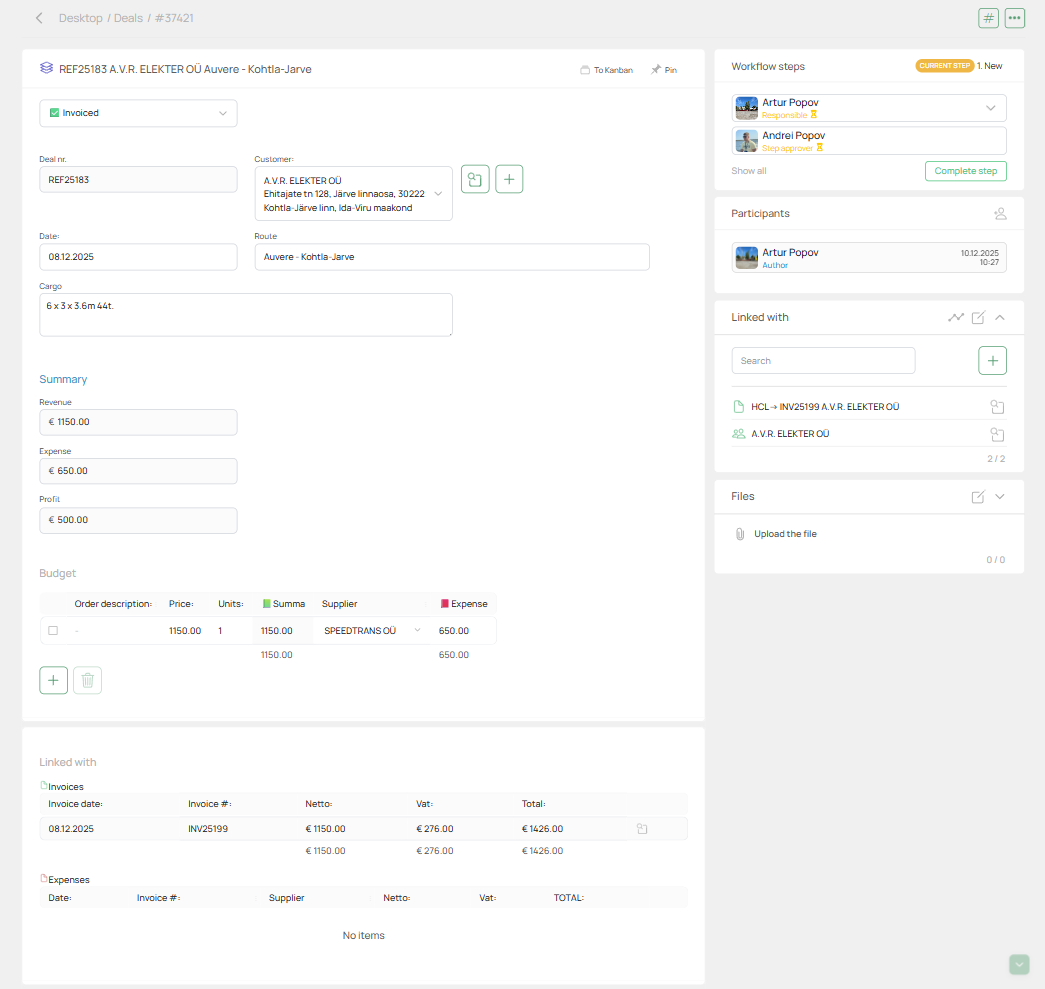
History and communication inside a task
Each task automatically stores:
- field change history
- workflow stage changes
- assignee changes
- internal comments
- external communication (via comments and messages)
So a task is not just a data record, but a full timeline of work and communication for a specific object or process.
Key idea
A form defines the structure and rules.
A task is a live unit of work, data, and history created from that form.