
Number
Stores a numeric value or a configured calculation. Money is an option of this type.
When to use
Use it for quantities, weights, distances, prices, or freely entered rates. Use Percentage for a predefined list of rates, Counter for automatic references, and Balance for totals maintained by movement rules.
Settings
- Default value, decimal precision (
decimals, default 2), money mode (money), and currency (currency). - Calculated (
calculated), calculation type (Number,Date, orText), day counting (count_days), and a formula. Formula elements use=,+,-,*, or/with a static value or field ID. - Column sum (
column_sum) for table totals. Theeditableoption is persisted only for Table children. - Primary value (
is_primary_value_field): only one Number per form can supply the task's primary value. - Exchange rate (
exchange_rate_enabled): fixed source/target currency codes or Choice field IDs (exchange_rate_from_field_id,exchange_rate_to_field_id). Fixed codes must contain three letters, such asEUR. - Bold text, color, field size, and inline layout.
For example, calculate a line amount from quantity and unit price. Money formatting alone does not enable currency conversion; exchange-rate settings are separate.
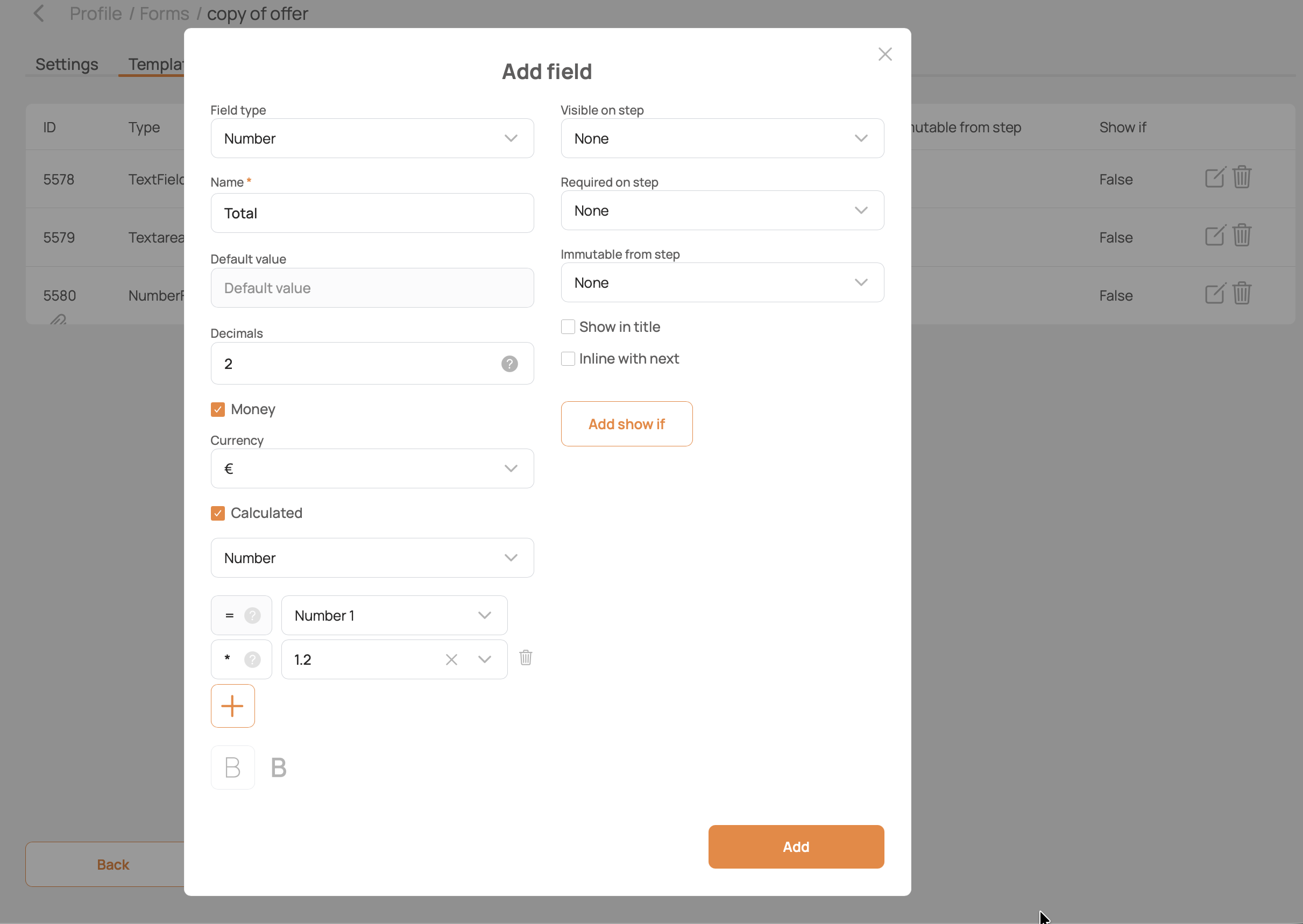
See shared field settings for workflow visibility, requirements, and layout options supported by this type.
Backend type: NumberField.