
SEPA XML file generator
The extension turns selected tasks of a form into a SEPA payment file (pain.001) that you upload to the bank. A typical form is an expense register: each task is an invoice to pay, and one file covers a whole batch.
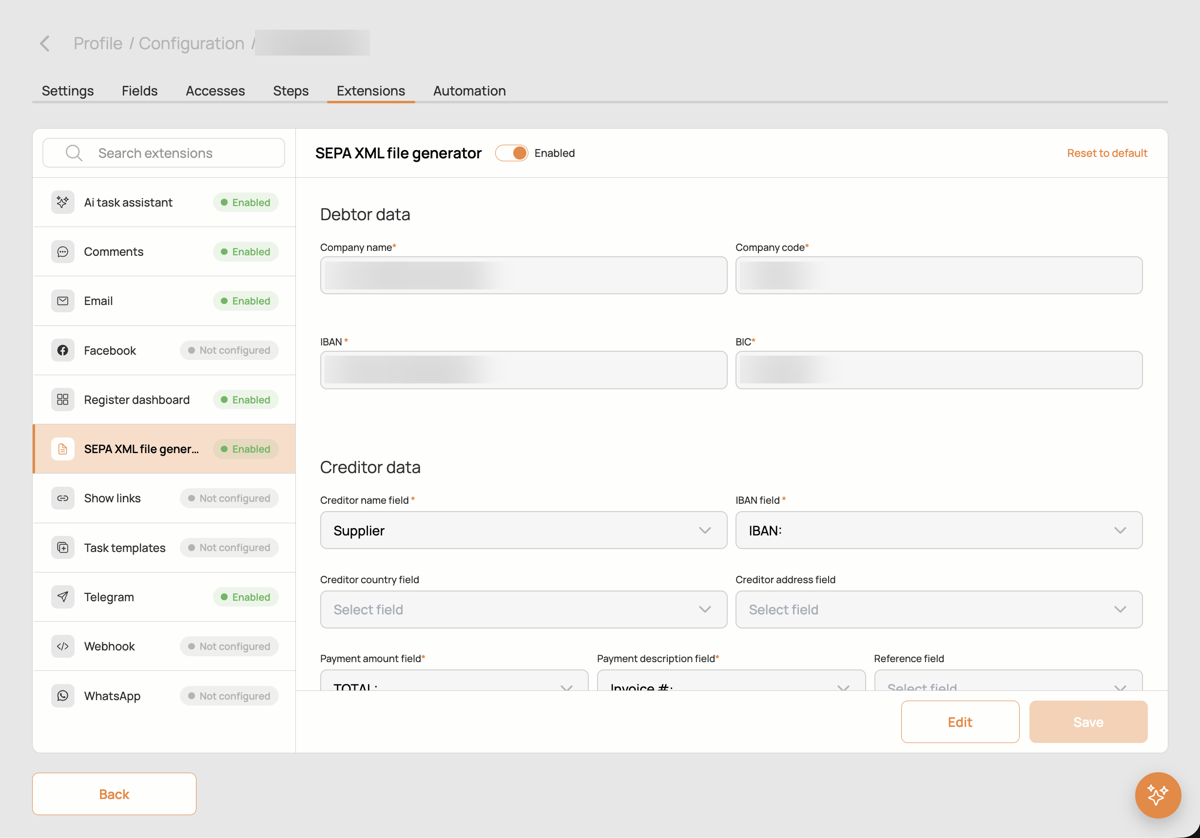
Settings
- Debtor data: your company as the payer. Name, company code, IBAN and BIC; these go into every file as the debtor.
- Creditor data: which fields of the task hold the payee. Required: creditor name field and IBAN field, payment amount field and payment description field. Optional: creditor country, creditor address and reference number fields.
- Button name: the label of the button that generates the file.
How to use
- In the form's task list select the tasks to pay.
- Open the export menu and press Generate SEPA XML. HCAPP builds one SEPA XML with a transaction per task.
- Upload the file to your bank.
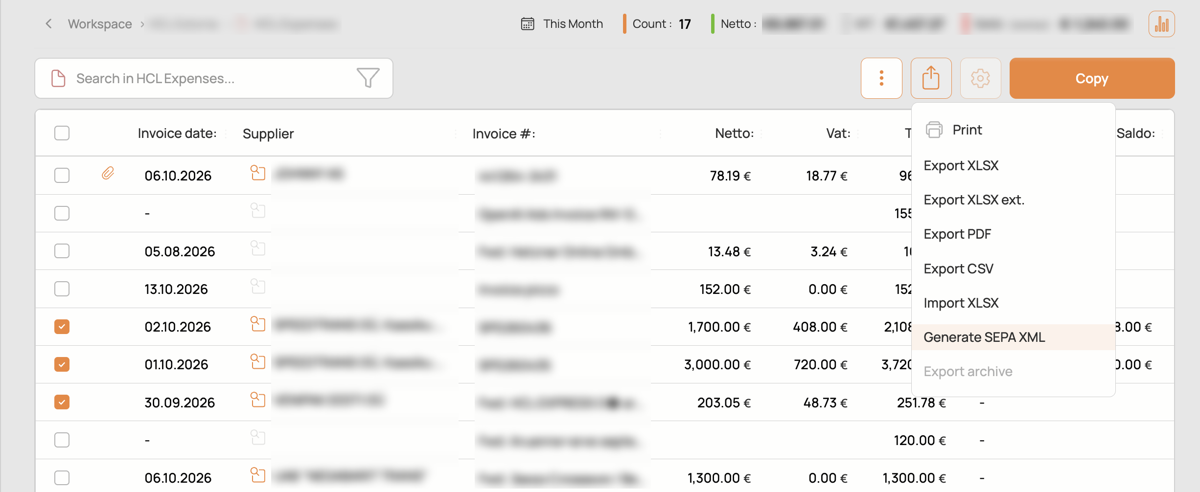
Tasks with an empty IBAN or amount are reported instead of being written into the file, so the file is never half right.