
AI assistant
The AI assistant reads what comes into a task and fills the form from it. A typical case: a client sends a photo of a receipt or a PDF invoice by e-mail, Telegram or WhatsApp, a task is created, and a few seconds later the amount, VAT, invoice number, date and supplier are already in the fields. The person only checks the result.
What it reads
- files attached to the task: invoices, receipts, orders, contracts (text is recognised from scans and photos),
- messages that came with the task from a messaging channel or e-mail,
- the fields already filled in the task.
Setup
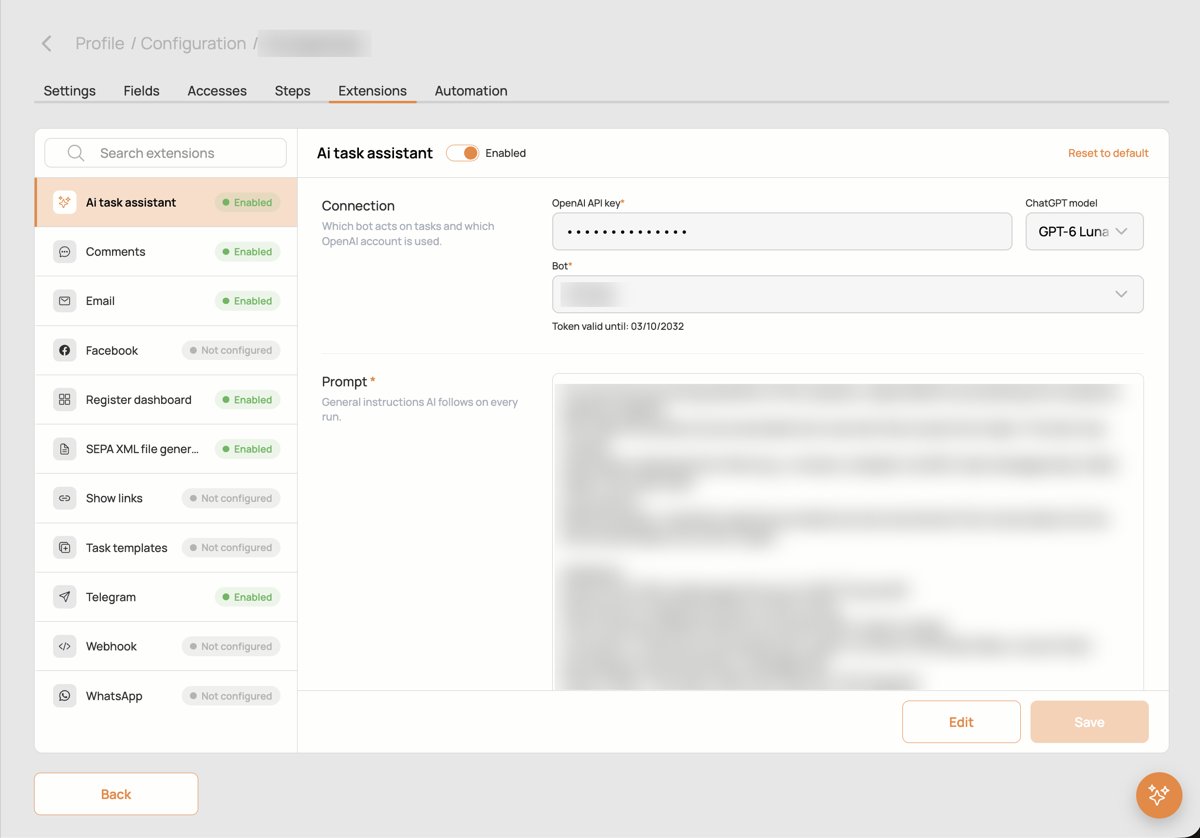
- Connection. Paste an OpenAI API key and choose the model. Pick the bot the assistant acts as: a user with the role
BOTthat has access to the form. Everything the assistant writes into tasks is done by this bot, so you always see which values came from AI. - Prompt. General instructions the AI follows on every run: who it is, what documents to expect, how to validate the data (for example, that the total equals net plus VAT), what never to do.
- When to run. On task creation, update, close or delete. For channels that create a task per message, the assistant runs right after the files are stored, so it sees them.
- What it can read. Attachments and messages, each switchable.
- Fields filled by AI. For every form field you want filled, a short description of what to look for: "invoice date", "amount without VAT", "registration number of the supplier". Fields can also be linked lookups into other forms, for example a supplier found by its registration number.
Good to know
- The assistant works on behalf of the bot, so the bot needs access to the form with the right to update tasks.
- Errors of the last runs are shown in the extension card.
- Keep the prompt about rules and validation; what to extract goes into the field descriptions.