
Email
The Email extension gives a form its own mailbox. Every new e-mail in that mailbox becomes a task; replies to the same thread land in the same task, and operators answer from the task so the whole correspondence stays in one place.
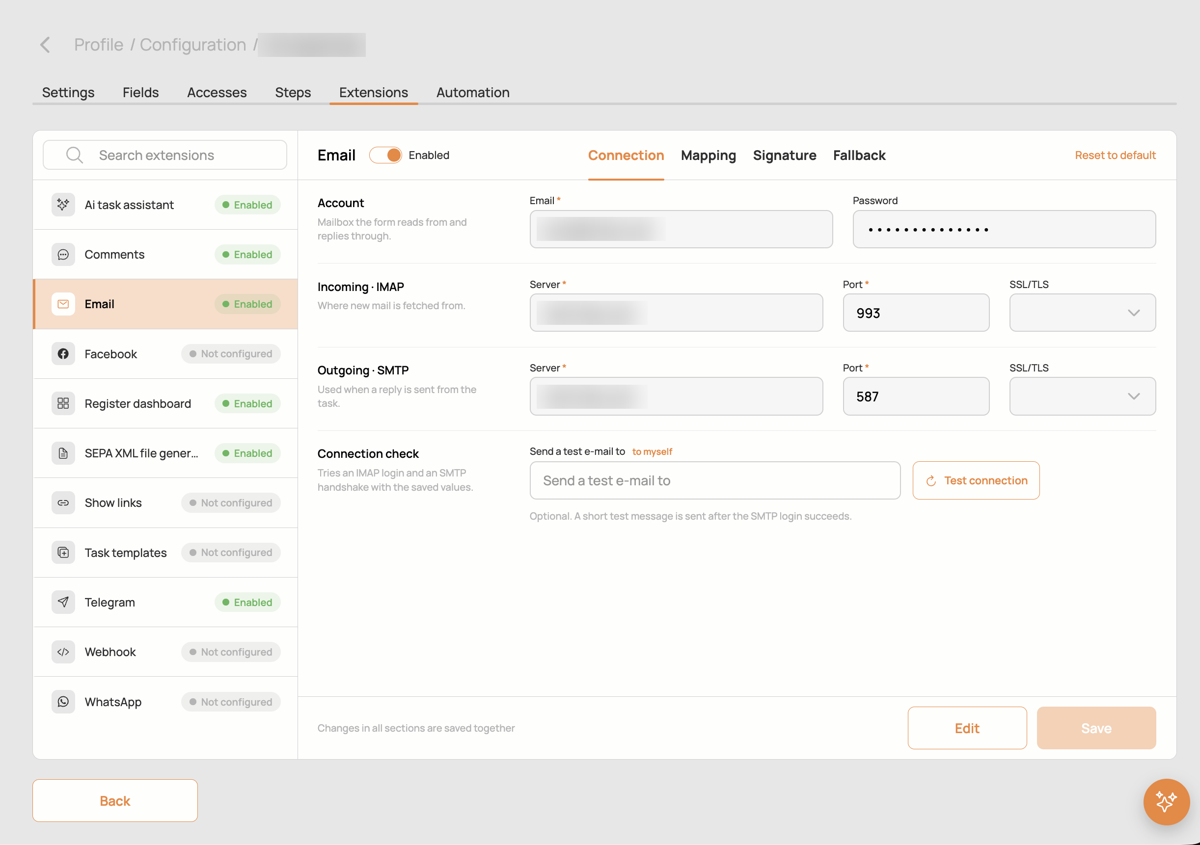
Connection
- Account: the address and password of the mailbox the form reads from and replies through.
- Incoming · IMAP: server, port and SSL/TLS for fetching mail.
- Outgoing · SMTP: server, port and SSL/TLS for sending replies.
- Connection check: tries an IMAP login and an SMTP handshake with the saved values; optionally sends a short test e-mail to an address you enter. The result and the last error of the mail fetcher are shown in the card.
Changes in all sections are saved together with Save.
Mapping
Which fields of a new task receive the subject, the sender's e-mail, the sender's name and the body of the first message. The sender e-mail field is the usual key for workflow rules: "invoices from this address go to this accountant".
Signature
The signature added to replies sent from the task. Either a plain text, or a template with the author's name, phone and e-mail switched on separately, and an optional logo.
Fallback
How a reply is matched to a task when the usual headers are missing. The extension first looks at the mail thread headers and at the task number in the subject; as a fallback it searches recent messages where the sender was a recipient (fallback recipient search, with a list of senders to skip and the maximum age in months). If nothing matches, a new task is created.
Good to know
- If the mailbox keeps failing, the fetcher pauses the extension after several errors and shows the reason under Last error. Fix the credentials and switch it on again.
- E-mail templates for replies are managed in the task's e-mail composer.